02 / Connected home · Homey
Your home.
A new perspective.
Rooms, furniture, and the lights you left on. Bring it all together in a 3D home that reflects what’s happening around you.
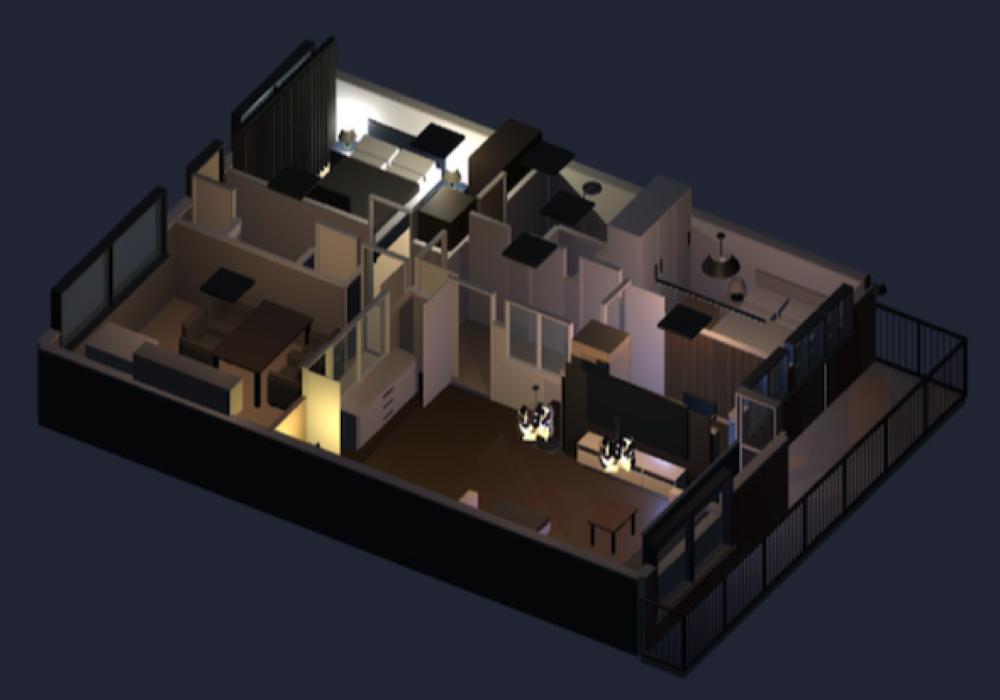 ACTUAL WIDGET VIEW / DIGITAL TWIN
Familiar rooms.
At a glance.
- Create
- Desktop web builder
- View
- Homey dashboard widget
- Requires
- Homey Pro with widget support
- Release
- Test version
Make yourself
at home.
Draw rooms, arrange furniture, and place lights in the desktop builder. Recreate the spaces you know, then choose the view you want on your dashboard.
Let your home
tell the story.
Link Homey devices to the scene. Lights reflect their colours, curtains move, and doors and TVs show their linked states. The widget visualises device status without sending control commands.
From your plan
to your dashboard.
Publish your chosen view to the Homey widget. An optional connection to an AI agent that supports MCP and images can help with floorplans and reusable furniture models; review changes before publishing them.
Digital Twin is an independent project by Paul Kok. Homey is a product of Athom; this project is not an official Athom product. Check the builder for current access and licence information.